
The short answer
Enter a link or short message in ByteDip’s QR Code Generator, generate the code, and download the PNG. Then scan the result with a second device or ByteDip’s QR Code Scanner before printing it or sending it to other people.
The generator creates the code in your browser. It does not shorten the link, inspect the destination, or make a long URL safer. Those decisions belong in your review step.
What to check before generating
- Confirm the destination uses the intended spelling and protocol.
- Prefer a short, stable URL when the code will be printed or displayed small.
- Avoid placing secrets or one-time tokens in a code that will be shared widely.
- Remember that a QR code can be copied; it is not an access-control mechanism.
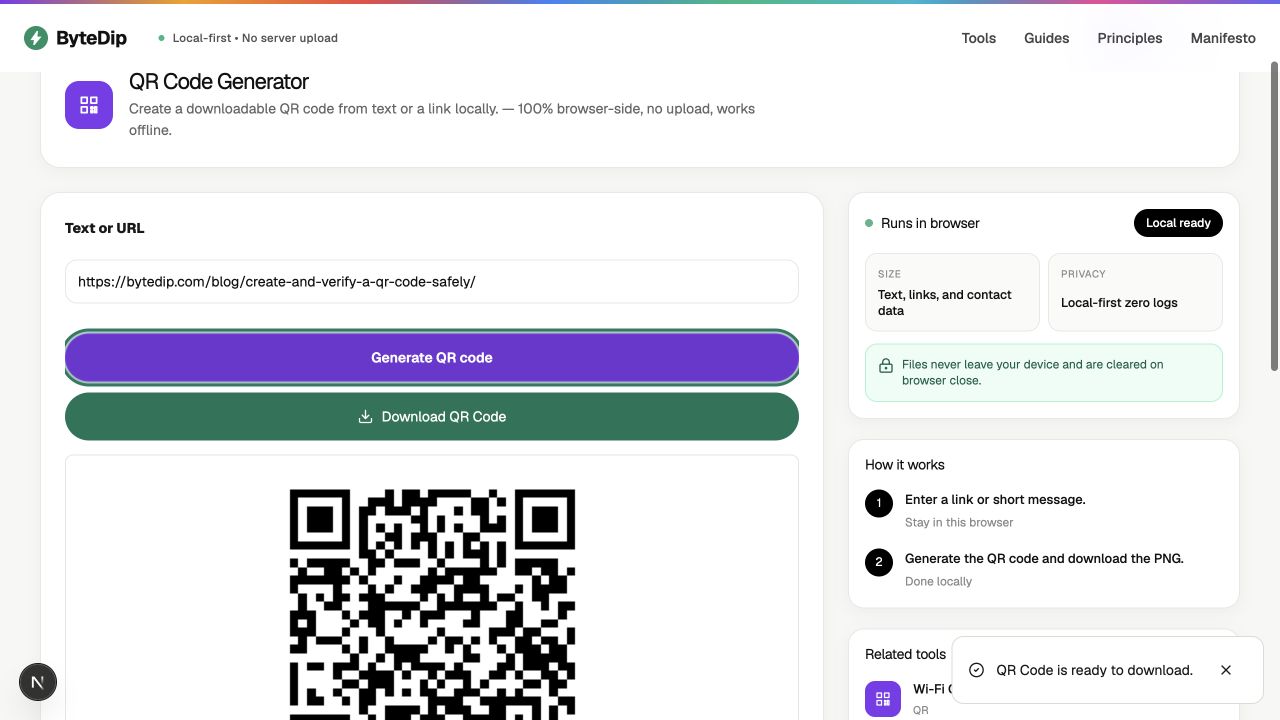
How to create and verify the code
- Enter the contentPaste a link, short message, contact snippet, or other plain text. Inputs are limited to 4,000 characters.
- Generate the QR codeChoose Generate QR code and inspect the result. Very long content creates a denser code that can be harder to scan.
- Download the PNGSave the generated code and keep the original text or link beside it for the verification step.
- Scan before sharingUse QR Code Scanner or another trusted scanner to confirm that the decoded content exactly matches what you intended.
Make printed codes easier to scan
Keep enough contrast around the code, avoid stretching it unevenly, and test it at the final printed or displayed size. A code that scans on a large monitor may fail when reduced to a small card or label.